
Ageing Australia Quality Management System Support Portal
General
Set up and configuration
- Assign required reading
- Manage app settings and notifications
- Home page image and document logo
- Manage categories
- Welcome text and news
- Hide items (archive content)
- Required reading reports
- Updating role name video
- Updating links to Strengthened Standards training video
- Onboarding kit
- Send email notifications
Manage users
Troubleshooting
Registers
Manage content
- Delete document
- Edit, review and approve process
- Edit, review and approve policy
- Create and publish new policy
- Create and publish new process
- Previous item version information
- Edit roles
- Edit release notes
- Hide items (archive content)
- Introduction to release management
- Manage document
- Manage regulations
- Publish multiple changes (in one release)
- Publish single item (manage changes)
- Download and print content
- Delete role
- Delete policy
- Delete process
- Delete or archive regulation
- Embed video
- Manage comments
- Send email notifications
- Show Remaining Articles (2) Collapse Articles
Audits
Training Resources
- Content updates training
- Process editing - editing the process sequence
- Upcoming training sessions
- Required reading training video
- Updating role name video
- Updating links to Strengthened Standards training video
- Scheduling updated audits video
- Work instructions training video
- Comments training video
Business units
Reports
Required Reading
Work Instructions
Mobile Phone App
Comments
Custom audits
< All Topics
Print
Edit release notes
Updated
Release notes are a summary of all the updates you have made to content in your QMS. Every time you publish a new item (or items), you can write release notes. Once item/s have been published and release notes completed, QMS Administrators and Model Administrators have the option to edit these release notes.
Step 1
There are two ways to access the editing functionality for release notes:
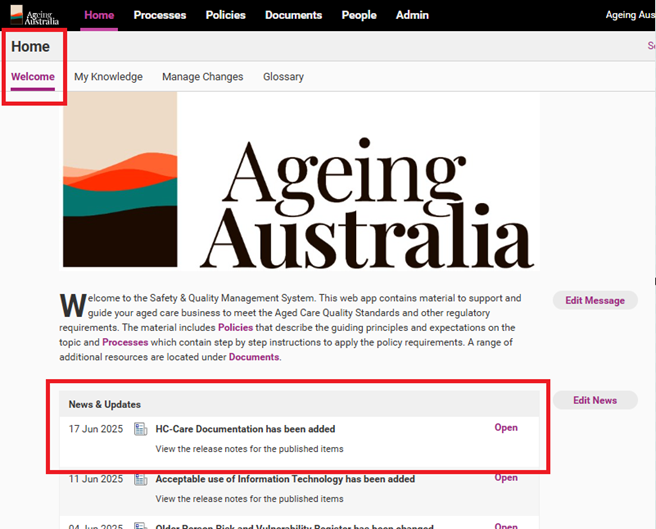
- If you have created a news item for the release notes, access the Home tab and find the release note under News & Updates. Double click on the release note.
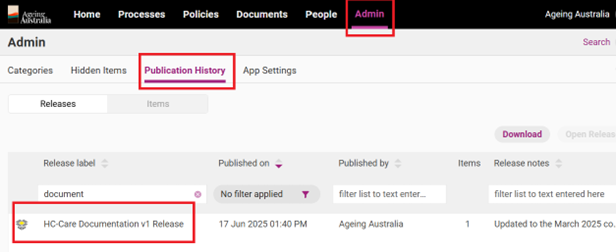
- If you have not created a news item, access the Admin tab and click the Publication History subtab. Find the relevant release and double click it.
Step 2
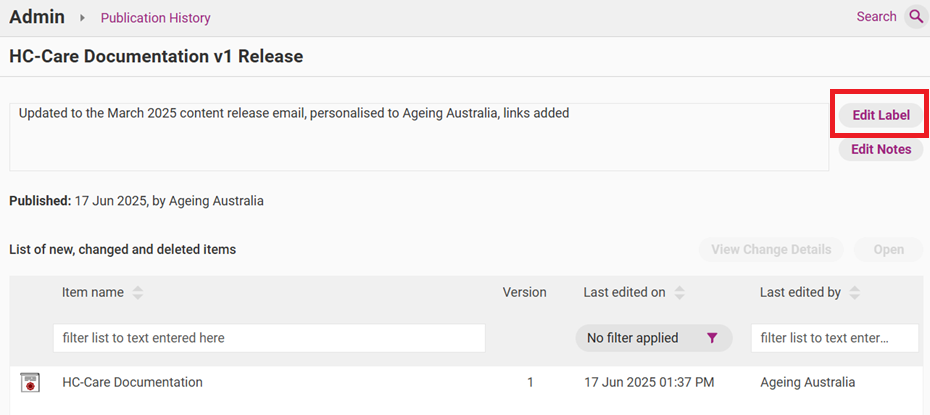
Click Edit Label to edit the title of the release.
Step 3
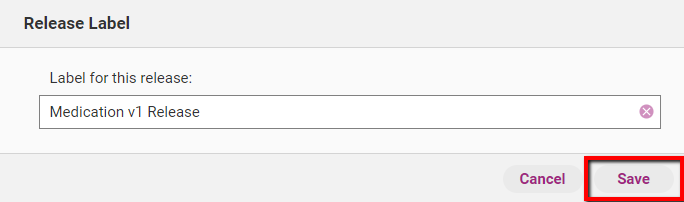
When you are done editing, click Save to commit changes.
Step 4
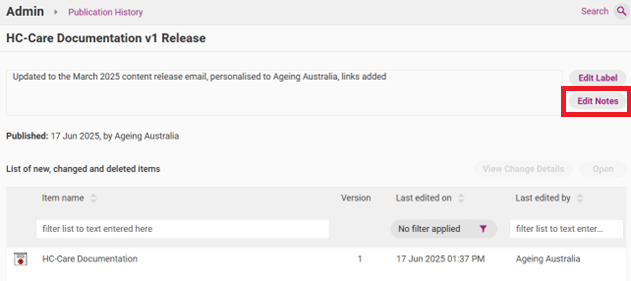
Click Edit Notes to edit the title of the release.
Step 5
Click Save to commit changes.
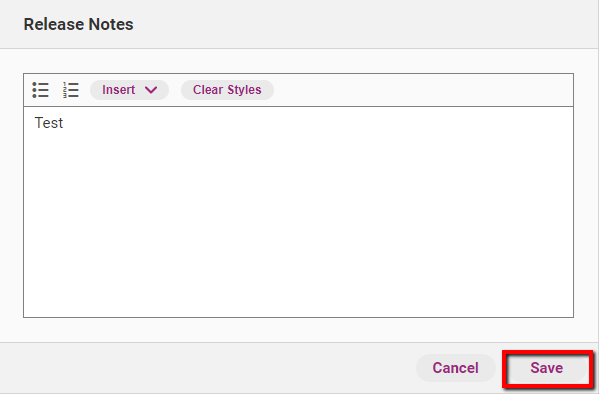
Table of Contents