General
Set up and configuration
- Assign required reading
- Manage app settings and notifications
- Home page image and document logo
- Manage categories
- Welcome text and news
- Hide items (archive content)
- Required reading reports
- Updating role name video
- Updating links to Strengthened Standards training video
- Onboarding kit
- Send email notifications
Manage users
Troubleshooting
Registers
Manage content
- Delete document
- Edit, review and approve process
- Edit, review and approve policy
- Create and publish new policy
- Create and publish new process
- Previous item version information
- Edit roles
- Edit release notes
- Hide items (archive content)
- Introduction to release management
- Manage document
- Manage regulations
- Publish multiple changes (in one release)
- Publish single item (manage changes)
- Download and print content
- Delete role
- Delete policy
- Delete process
- Delete or archive regulation
- Embed video
- Manage comments
- Send email notifications
- Show Remaining Articles (2) Collapse Articles
Audits
Training Resources
- Content updates training
- Process editing - editing the process sequence
- Upcoming training sessions
- Required reading training video
- Updating role name video
- Updating links to Strengthened Standards training video
- Scheduling updated audits video
- Work instructions training video
- Comments training video
Business units
Reports
Required Reading
Work Instructions
Mobile Phone App
Comments
Custom audits
Navigation basics (QMS Mobile App)
This guide provides a brief overview of key sections of the QMS Mobile App.
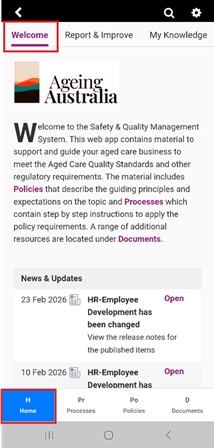
Home (H)
The Home tab includes the Welcome message, as well as the latest news and updates.
In addition, it includes subtabs that house key functionalities. These may vary depending on the modules and functionalities you have enabled.
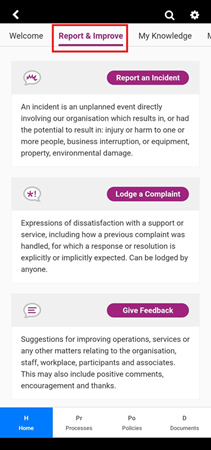
Report & Improve
This subtab is visible to customers with the Registers Module. This functionality allows users to:
- Report incidents
- Submit complaints
- Leave feedback.
In addition, users with Administration or Incident & Improvement Manager permissions can view and manage incident, complaints, feedback and improvements.
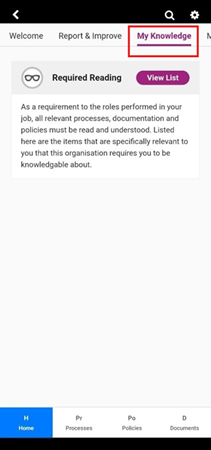
My Knowledge
This subtab includes a list of required reading to complete.
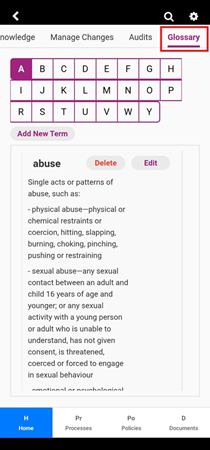
Glossary
This subtab includes a list of all the glossary terms within the app.
Processes (Pr)
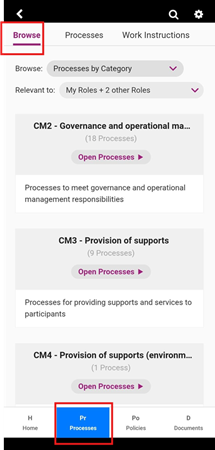
Browse
This subtab includes lists of Processes related to the user's role, organised based on categories.
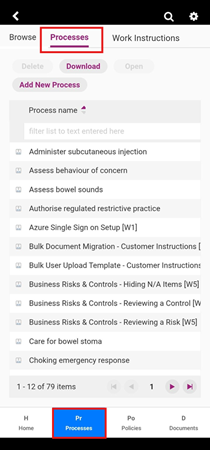
Processes
This subtab includes a list of all processes available in the app. Users can search through Processes using the List view similarly to the web based QMS (refer to the user guide Filtering Content).
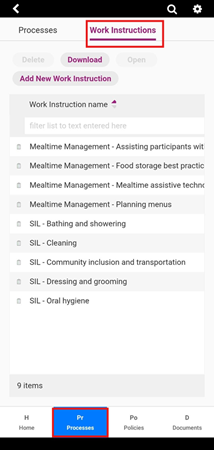
Work Instructions
This subtab includes a list of all work instructions available in the app.
Policies (Po)
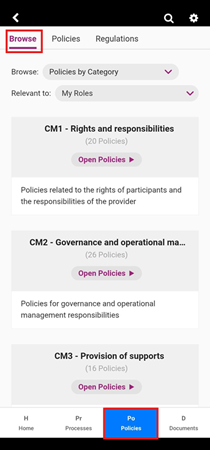
Browse
This subtab includes lists of policies related to the user's role, organised based on categories.
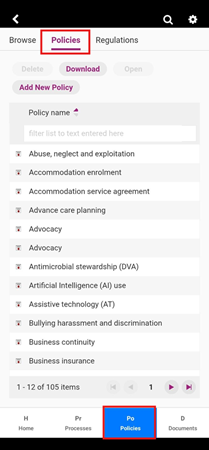
Policies
This subtab includes a list of all policies available in the app. Users can search through Policies using the List view similarly to the web based QMS (refer to the user guide Filtering Content).
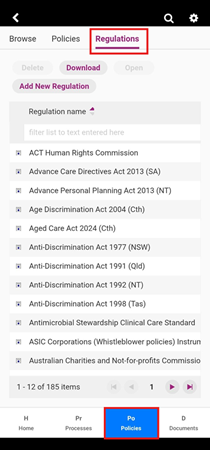
Regulations
This subtab includes a list of all Regulations available in the app.
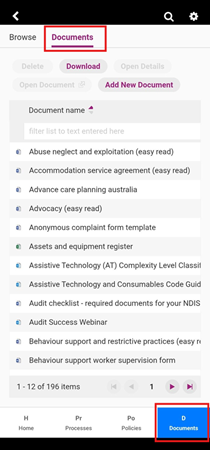
Policies (Po)
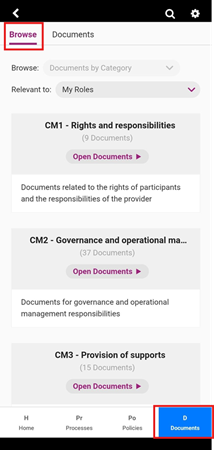
Browse
This subtab includes lists of Documents related to the user's role, organised based on categories.
Documents
This subtab includes a list of all documents available in the app. Users can search through Documents using the List view similarly to the web based QMS (refer to the user guide Filtering Content).