
General
Set up and configuration
- Assign required reading
- Manage app settings and notifications
- Home page image and document logo
- Manage categories
- Welcome text and news
- Hide items (archive content)
- Required reading reports
- Updating role name video
- Updating links to Strengthened Standards training video
- Onboarding kit
- Send email notifications
Manage users
Troubleshooting
Registers
Manage content
- Delete document
- Edit, review and approve process
- Edit, review and approve policy
- Create and publish new policy
- Create and publish new process
- Previous item version information
- Edit roles
- Edit release notes
- Hide items (archive content)
- Introduction to release management
- Manage document
- Manage regulations
- Publish multiple changes (in one release)
- Publish single item (manage changes)
- Download and print content
- Delete role
- Delete policy
- Delete process
- Delete or archive regulation
- Embed video
- Manage comments
- Send email notifications
- Show Remaining Articles (2) Collapse Articles
Audits
Training Resources
- Content updates training
- Process editing - editing the process sequence
- Upcoming training sessions
- Required reading training video
- Updating role name video
- Updating links to Strengthened Standards training video
- Scheduling updated audits video
- Work instructions training video
- Comments training video
Business units
Reports
Required Reading
Work Instructions
Mobile Phone App
Comments
Custom audits
General troubleshooting
Unable to log in
Staff are required to have been added as a User to their organisation's QMS in order to log in.
- If you are unable to log in, first check that you have been provided access by your system Administrator.
- If you are not yet a user, request that the Administrator adds you as a new user. Administrators within your organisation’s QMS have the ability to add new users ( refer to user guide Manage users).
- If you are already a user on the system, ask the Administrator to send a password reset link (refer to user guide Manage users).
- Double‑check that your email is spelled correctly and that you’re using the right login details.
- If the issue continues, your user profile may need to be reviewed to confirm the correct email is registered. This can be verified by your administrator.
- Follow the user guide Reset Password if required.
- If the problem persists, email [email protected] for support.
Permission levels and access
Users are provided different permission levels based on their access requirements for the QMS. Refer to user guide Manage users for more information on the different access levels.
If you believe that your access level is not correct for your needs:
- Check your permission level with your QMS Administrator
- Administrators within your organisation’s QMS have the ability to update or change permission levels (Refer to user guide Manage users).
General performance issues
When users experience slow or inconsistent system behaviour for example:
- System running slowly
- Pages timing out
- Buttons not responding.
It is important to do some initial investigating into the cause.
Password reset email is not received
Password reset emails will be sent directly from the Centro system (from [email protected]). This email is prompted by either:
- pressing the 'forgot email' button on the log in page
- your Administrator initiating a password reset link.
If you did not receive the password reset email within 5 minutes, please check the following:
- Check the email did not come to your junk mail.
- Request a system Administrator send a password reset request (refer to Manage Users page for more information).
- Check with your internal IT team that the emails from the Centro system are not being blocked by internal servers.
- Only once confirmed that the internal servers are no longer blocking the email, let our team know at [email protected]
Additional guidance can be found in the Reset Password page.
- Check internet connection.
- Clear cache and browser history (Refer to user guide Clear Cache).
- Log out and in again.
- Try different browsers (Google Chrome [Best], Microsoft Edge, Safari, Firefox).
- Confirm if any other user can access the QMS.
- If none of these steps resolve the issue, email [email protected] for further support and provide details of what steps you have already tried.
Error messages or content not loading
If you receive an error message when attempting a task on the QMS (e.g. opening a page, editing an item, etc).
- Refresh the page.
- Check internet connection.
- Clear cache and browser history (Refer to user guide Clear Cache).
- Log out and in again.
- Try different browsers (Google Chrome [Best], Microsoft Edge, Safari, Firefox).
- Confirm if any other user is expeciencing the same concern.
- If none of these steps resolve the issue, take a screenshot of the issue and email [email protected]. Provide as much detail as possible, including what actions you have already tried to resolve the issue.
Unable to find content
From time to time users may have trouble finding specific content. This is usually due to:
- not knowing the name of the content item
- not knowing if the item is a Policy or Process
- not searching for the item correctly using the 'global search' function
- the item not being included in the QMS content suite.
To ensure you are able to find all relevant content:
- Ensure you are always using the 'global search' function within your QMS. This is the search bar in the top right hand page from the Home/Welcome screen. Do not search within a sub-tab of the QMS (e.g. from the Policy or Process tab) as this will not search the whole QMS. Refer to user guide Search the web app.
- Ensure you have the correct permission level to access the content item. If unsure, contact your system Administrator.
Unable to download a content item
The ability to download content is not part of the general access level. Refer to user guide Manage users for more information on different access levels.
If you require the ability to download content items:
- Make sure you have the correct permission level for that specific content item and discuss with your system Administrator changing your access level if required.
- Follow the steps outlined in the Download and Print Content user guide.
Cannot find a register item previously entered
Only users with the correct permission level are able to view Register Items once they have been submitted.
- Check your permission level. Users with Process Viewing access will not be able to open or access register items.
- Contact you Administrator if permissions need updating.
Unable to find audit template
Only users with the correct permission level are able to view all audits and/or change the audit template. If you are unable to find an audit:
- Check with the system Administrator and/or Audit Ensure the template has been created in the audit schedule - refer to user guide Create an audit schedule.
- Check that the audit has not been assigned to another user to complete.
Notifications
The QMS system has the capacity to send various notifications including:
- review reminder emails
- audit notification emails
- register notification email.
If you believe that notifications have not been sent as expected:
- Check if the emails have been sent through to your junk folder.
- Check that the notifications have been set up correctly. Refer to Manage app settings.
- Check whether any other users received the expected email notification.
- Check with your internal IT team that the emails from the Centro system are not being blocked by internal servers.
- Only once confirmed that the internal servers are not blocking emails from the Centro system, let our team know at [email protected] and include details of the issue as well as what steps have already been taken to remedy.
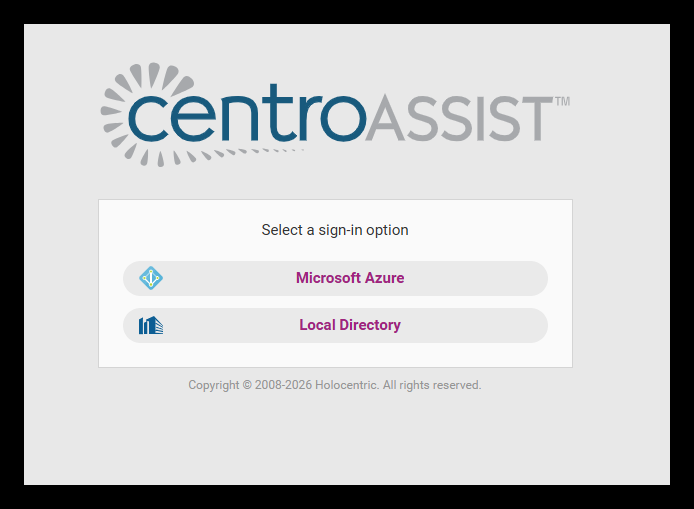
Single Sign On – Microsoft Azure
Single Sign On is an additional feature which may be set up and enabled by your organisation’s IT team.
Single Sign-On (SSO) lets users authenticate once and access multiple applications without repeatedly entering credentials. It improves security, reduces password fatigue, and centralizes identity management for smoother user experiences. (Single Sign On Implementation Guide)
- Unable to log in
- Unable to update User profile
- Contact your IT Team.
Still having trouble?
Please take a screenshot of any error or issue and email us at [email protected] for further investigating. If you could please include:
- What you were doing when the issue occurred
- Browser and device used
- Any error messages
We will review and respond as soon as possible.