General
Set up and configuration
- Assign required reading
- Manage app settings and notifications
- Home page image and document logo
- Manage categories
- Welcome text and news
- Hide items (archive content)
- Required reading reports
- Updating role name video
- Updating links to Strengthened Standards training video
- Onboarding kit
- Send email notifications
Manage users
Troubleshooting
Registers
Manage content
- Delete document
- Edit, review and approve process
- Edit, review and approve policy
- Create and publish new policy
- Create and publish new process
- Previous item version information
- Edit roles
- Edit release notes
- Hide items (archive content)
- Introduction to release management
- Manage document
- Manage regulations
- Publish multiple changes (in one release)
- Publish single item (manage changes)
- Download and print content
- Delete role
- Delete policy
- Delete process
- Delete or archive regulation
- Embed video
- Manage comments
- Send email notifications
- Show Remaining Articles (2) Collapse Articles
Audits
Training Resources
- Content updates training
- Process editing - editing the process sequence
- Upcoming training sessions
- Required reading training video
- Updating role name video
- Updating links to Strengthened Standards training video
- Scheduling updated audits video
- Work instructions training video
- Comments training video
Business units
Reports
Required Reading
Work Instructions
Mobile Phone App
Comments
Custom audits
Publish multiple changes (in one release)
Publishing multiple items at the same time will allow you to have multiple content updates in a single release.
Important
All publications and deletions are final. You will not be able to access older versions or deleted items once you publish the latest content update release.
Step 1
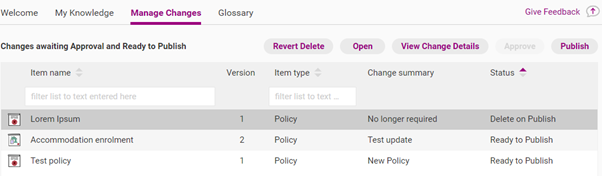
You can manage multiple updates at the same time by accessing the Home tab and clicking Manage Changes.
This will show a list of all updates that are pending approval and publication. You can also use this page to revert content to draft or to revert an impending deletion.
Step 2
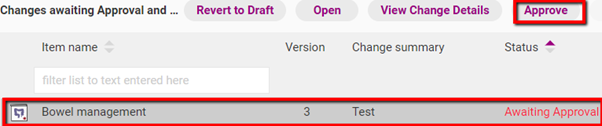
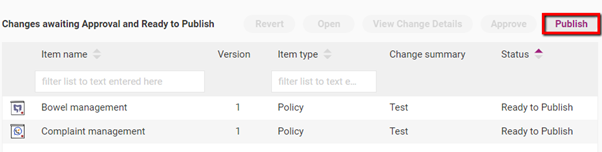
Any items marked ‘Awaiting Approval’ need approval before they can be published. You can use the interface in Manage Changes to approve the item. To do so, click on any item marked ‘Awaiting Approval’ and then Approve.
Step 3
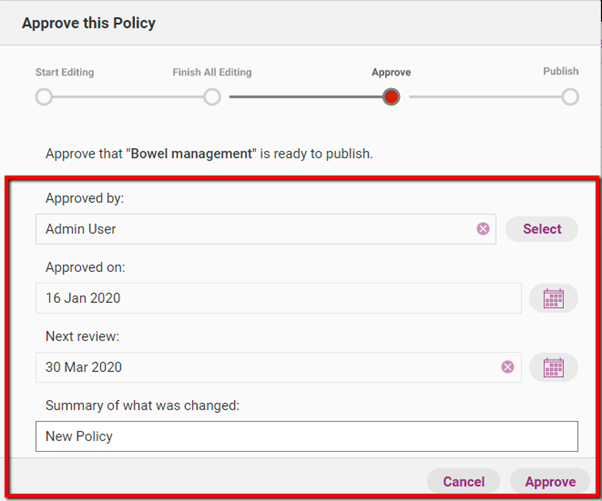
A release management workflow appears. Write a summary of what was changed and click Approve. You also have the option to select who approved the item, the date on which it was approved as well as the next review date. The item is now marked ‘Ready to Publish’.
Step 4
To publish your items, click Publish.
Step 5
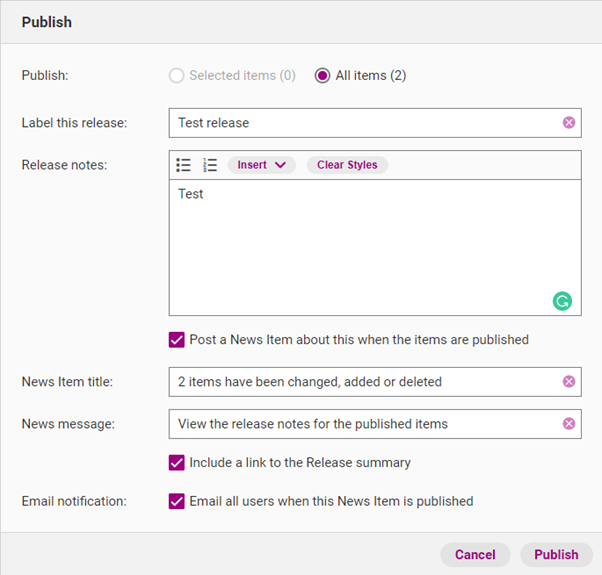
The release label and notes window appears. Complete all the relevant sections. You can edit the release notes later if required.
Field | Description |
|---|---|
Label this release | The official name of this release. |
Release notes | Details about what updates were made. |
Post a news item about this when the items are published | If selected, you can post a news item on the Home tab to notify users about your content changes. |
News item title | Title of the news item that will appear in the Home tab. |
News message | The message that appears under the news item title. |
Include link in release summary | If selected, this option will allow you to include a link to the release notes for the item. |
Email all users when this News Item is published | If selected, all web app users in your organisation (provided they have activated their account) will receive an email notification about the release at 5:30am AEDT/AEST the following day. |
Step 6
Click Publish to officially release all items to all the users within your organisation.
View all releases
Step 1
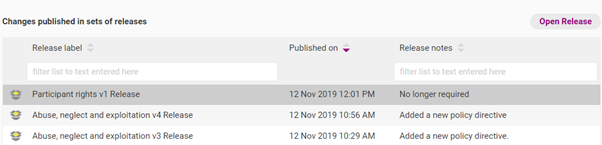
You can view all your content releases by accessing the Admin tab and clicking Publication History.
Step 2
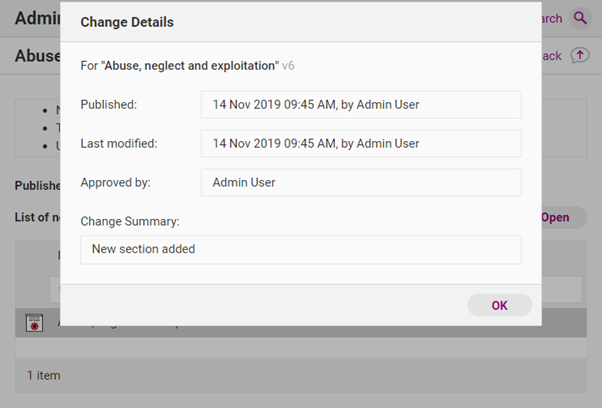
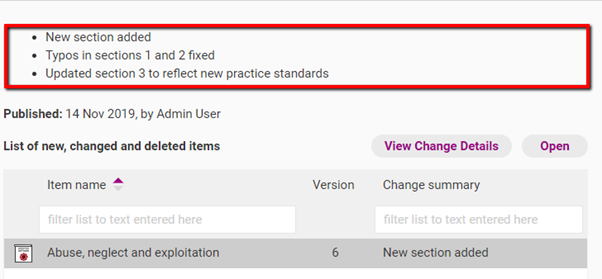
By clicking Open Release, you can access a page to view notes for the release. Click View Change Details to change details for each item.
Notes type | Description |
|---|---|
Release notes | The official overview of all changes and updates. If you have made multiple changes in one release (e.g. you published new versions of multiple policies) this will be an overview of the various changes you made to all items. |
Change details | A summary of the changes that you have made to the specific policy, process or document. |
Release notes
Change details