
General
Set up and configuration
- Assign required reading
- Manage app settings and notifications
- Home page image and document logo
- Manage categories
- Welcome text and news
- Hide items (archive content)
- Required reading reports
- Updating role name video
- Updating links to Strengthened Standards training video
- Onboarding kit
- Send email notifications
Manage users
Troubleshooting
Registers
Manage content
- Delete document
- Edit, review and approve process
- Edit, review and approve policy
- Create and publish new policy
- Create and publish new process
- Previous item version information
- Edit roles
- Edit release notes
- Hide items (archive content)
- Introduction to release management
- Manage document
- Manage regulations
- Publish multiple changes (in one release)
- Publish single item (manage changes)
- Download and print content
- Delete role
- Delete policy
- Delete process
- Delete or archive regulation
- Embed video
- Manage comments
- Send email notifications
- Show Remaining Articles (2) Collapse Articles
Audits
Training Resources
- Content updates training
- Process editing - editing the process sequence
- Upcoming training sessions
- Required reading training video
- Updating role name video
- Updating links to Strengthened Standards training video
- Scheduling updated audits video
- Work instructions training video
- Comments training video
Business units
Reports
Required Reading
Work Instructions
Mobile Phone App
Comments
Custom audits
Manage categories
User access level | Powers related to Manage categories |
|---|---|
Administrator / Model Administrator | Can categorise all web app content (processes, policies, regsiters and documents) |
Ageing Australia load Policies and Processes into the QMS to be automatically categorised according to the Aged Care Quality Standards, the ARVAs standards and/or the NDIS Standards. It is possible for organisations to choose to change these categories and/or add new ones if they wish.
Additionally, administrators now have the ability to edit register categories, providing greater flexibility and control over how information is organised and maintained.
Edit existing categories
Step 1
Go to the Admin tab and click Edit for the relevant content type.
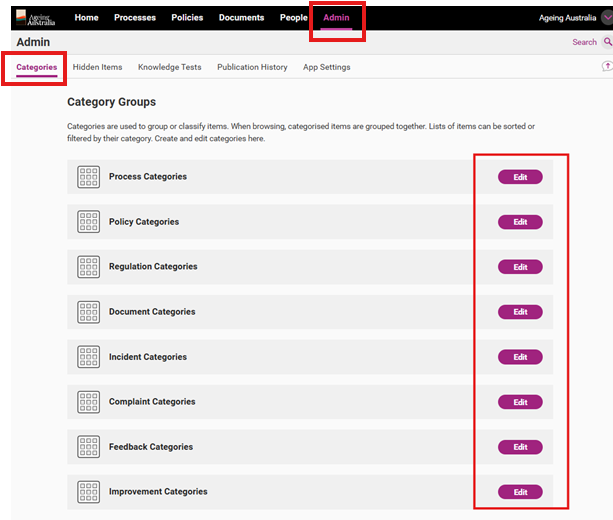
Step 2
Select the relevant category and click Open details.

Step 3
Click Edit, this will open the editing window.
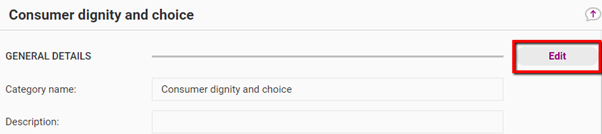
Step 4
Make all required edits and click Save to commit the changes.
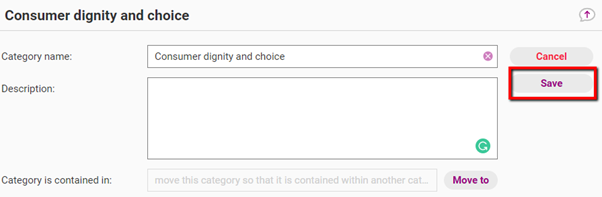
Important
Categories can be deleted. Items within deleted categories will NOT be deleted by this action. However, we do not recommend this action.
Create a new category
Step 1
Go to the Admin tab and click Edit for the relevant content type.
Step 2
Select the relevant category and click Add New Category.
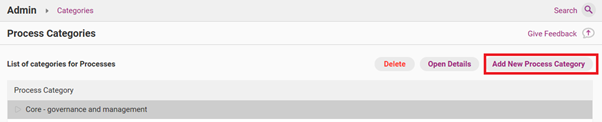
Step 3
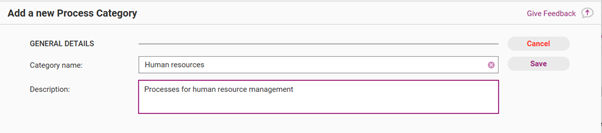
Complete the form and click Save to commit the changes and create the new category.
Edit a register category
Step 1
Go to the Admin tab and click Edit for the relevant content type.
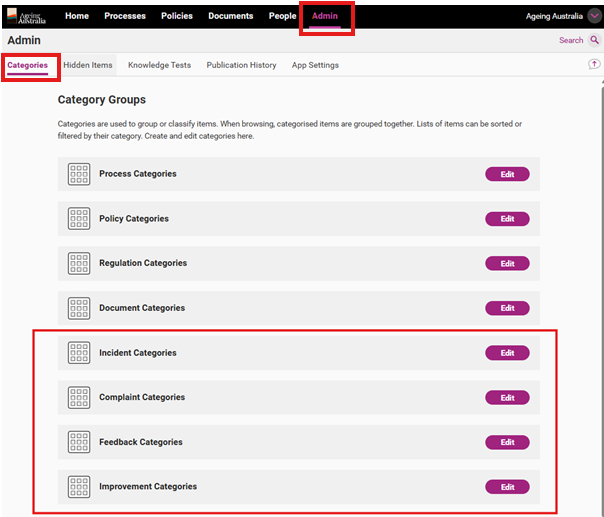
Step 2
Select the relevant category and click Add New Category.
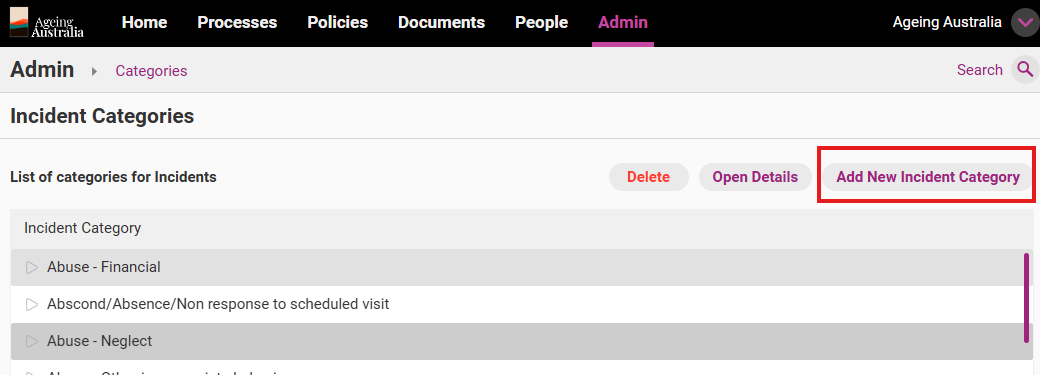
Step 3
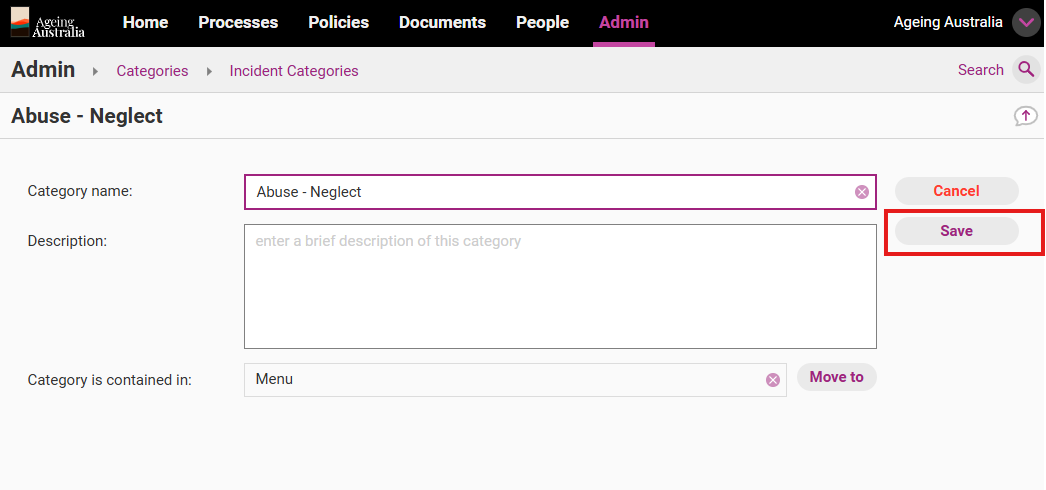
Click Edit, this will open the editing window.
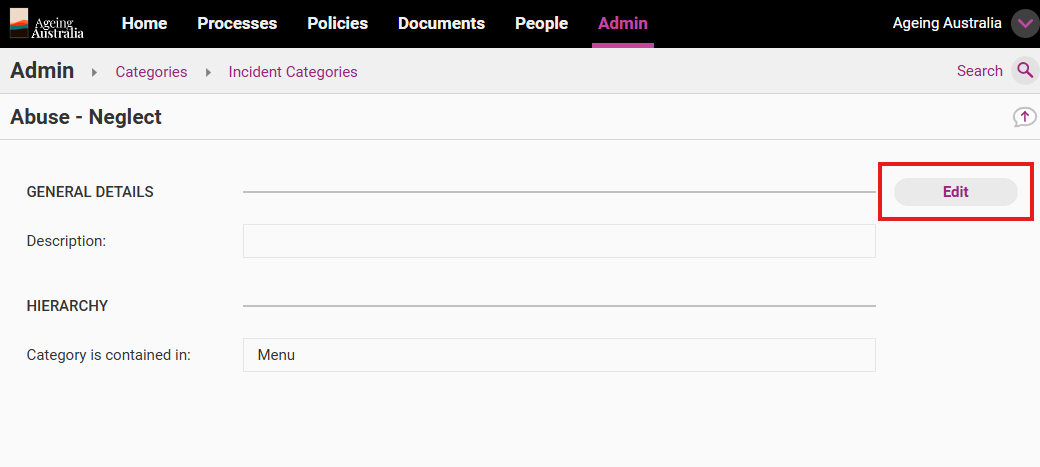
Step 4
Make all required edits and click Save to commit the changes.
Create a new register category
Step 1
Go to the Admin tab and click Edit for the relevant content type.
Step 2
Select the relevant category and click Add New Category.
Step 3
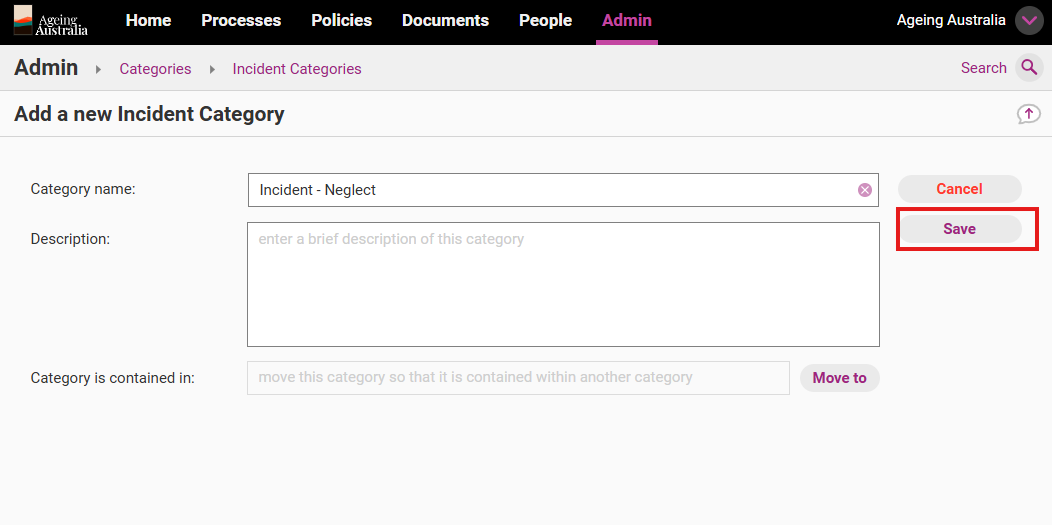
Complete the form and click Save to commit the changes and create the new category.
Important
Categories can be deleted. Items within deleted categories will NOT be deleted by this action. However, we do not recommend this action.