
General
Set up and configuration
- Assign required reading
- Manage app settings and notifications
- Home page image and document logo
- Manage categories
- Welcome text and news
- Hide items (archive content)
- Required reading reports
- Updating role name video
- Updating links to Strengthened Standards training video
- Onboarding kit
- Send email notifications
Manage users
Troubleshooting
Registers
Manage content
- Delete document
- Edit, review and approve process
- Edit, review and approve policy
- Create and publish new policy
- Create and publish new process
- Previous item version information
- Edit roles
- Edit release notes
- Hide items (archive content)
- Introduction to release management
- Manage document
- Manage regulations
- Publish multiple changes (in one release)
- Publish single item (manage changes)
- Download and print content
- Delete role
- Delete policy
- Delete process
- Delete or archive regulation
- Embed video
- Manage comments
- Send email notifications
- Show Remaining Articles (2) Collapse Articles
Audits
Training Resources
- Content updates training
- Process editing - editing the process sequence
- Upcoming training sessions
- Required reading training video
- Updating role name video
- Updating links to Strengthened Standards training video
- Scheduling updated audits video
- Work instructions training video
- Comments training video
Business units
Reports
Required Reading
Work Instructions
Mobile Phone App
Comments
Custom audits
Upload and approve audit
Tip
To upload and approve internal audits, a user must have one of the following permissions in the QMS:
- Audit Data Entry
- Audit Approval
- Model Administration
- Administration
Refer to Manage Users to change User access levels.
Upload internal audit
Step 1
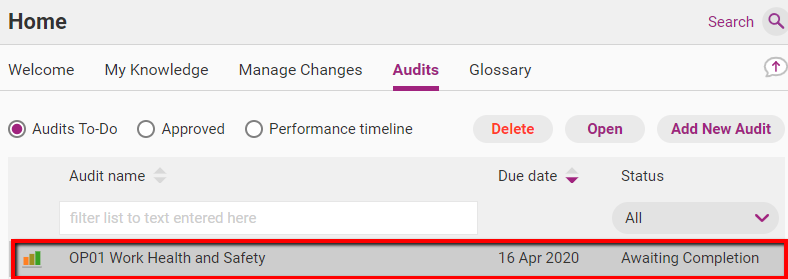
In the web app, access Home > Audits and double click on the relevant audit.
Step 2
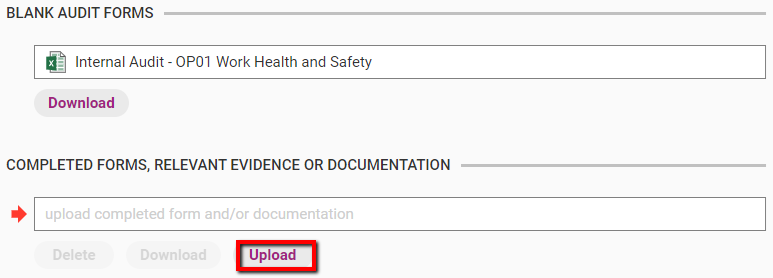
Click Upload. Find and attach the completed audit form.
Step 3
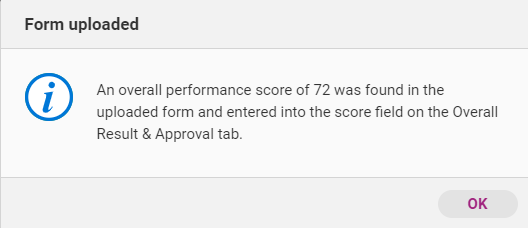
Review your score and confirm the upload.
Step 4
Upload any other supplementary documents (e.g. forms and templates) that relate to the completed audit. These related documents act as additional evidence of compliance.
Approve internal audit
After you have uploaded the completed internal audit form, you can write comments and approve it. Once an audit has been approved, the scores are finalised.
Step 1
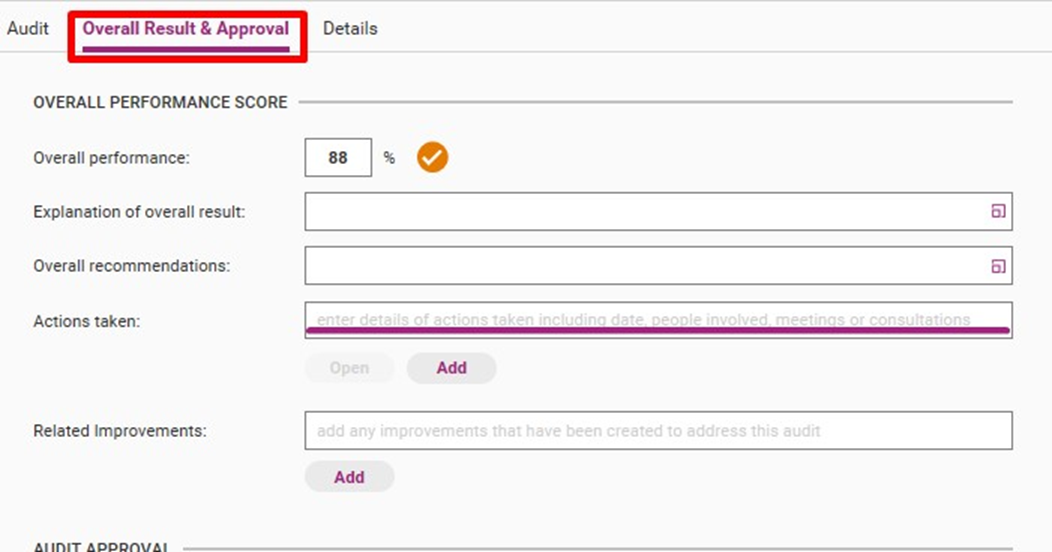
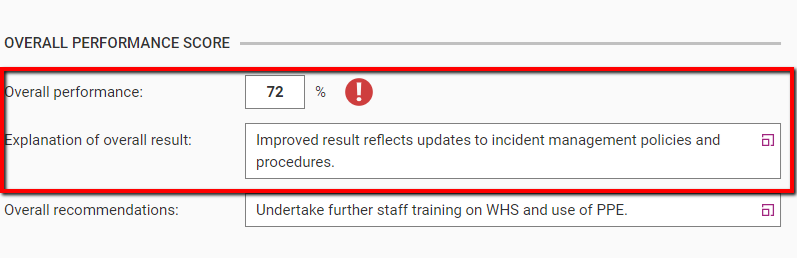
Click Overall Results & Approval. You will see that the score from your uploaded internal audit form has been automatically transferred into the web app.
Step 2
Write an explanation of the overall result. Use the colour classification for guidance:
Score | Colour classification |
|---|---|
95%-100% | Green |
85%-94% | Orange |
0%-84% | Red |
Step 3
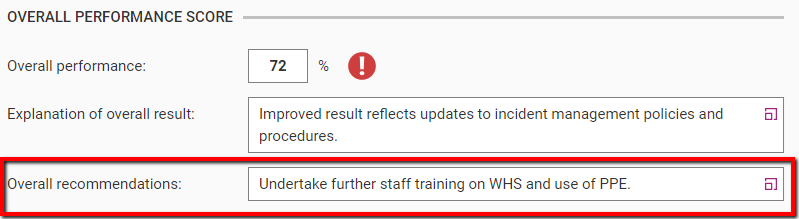
Write a recommendation for improving your results in future audits.
Step 4
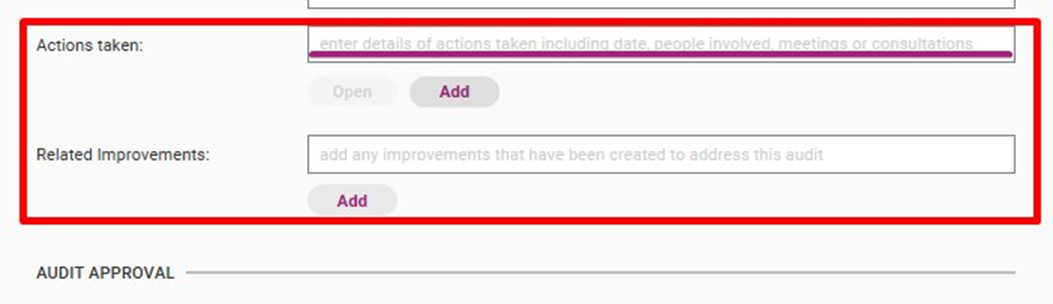
Write down actions that have been taken in response to the audit and attach related improvements, if required.
Step 5
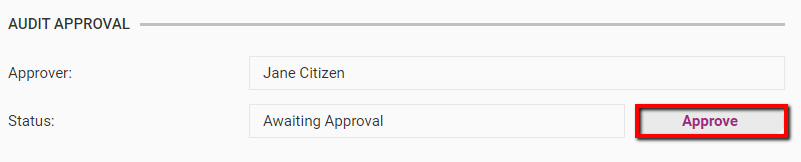
Click Approve to confirm the audit score.
Step 6
View your results. Your completed internal audit will be available to view in the Approved tab.
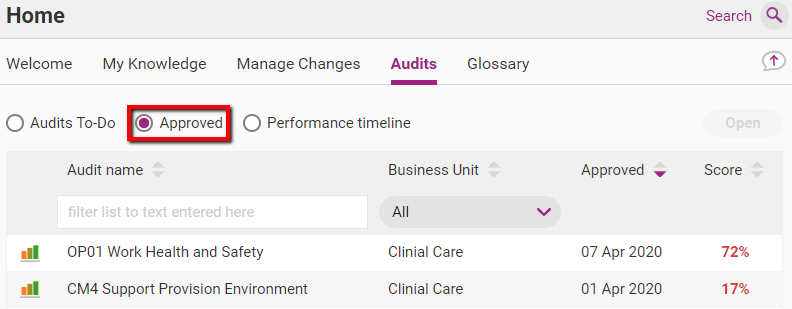
The score of your internal audit will also be available in Timeline view. This will allow you to see the approved audit in context with the rest of your audit schedule.
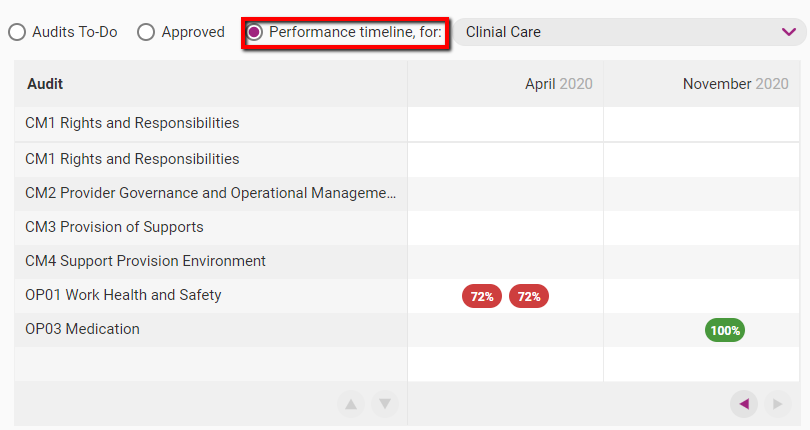
Utilise your results and the accompanying recommendations to improve your future internal audit scores.