
General
Set up and configuration
- Assign required reading
- Manage app settings and notifications
- Home page image and document logo
- Manage categories
- Welcome text and news
- Hide items (archive content)
- Required reading reports
- Updating role name video
- Updating links to Strengthened Standards training video
- Onboarding kit
- Send email notifications
Manage users
Troubleshooting
Registers
Manage content
- Delete document
- Edit, review and approve process
- Edit, review and approve policy
- Create and publish new policy
- Create and publish new process
- Previous item version information
- Edit roles
- Edit release notes
- Hide items (archive content)
- Introduction to release management
- Manage document
- Manage regulations
- Publish multiple changes (in one release)
- Publish single item (manage changes)
- Download and print content
- Delete role
- Delete policy
- Delete process
- Delete or archive regulation
- Embed video
- Manage comments
- Send email notifications
- Show Remaining Articles (2) Collapse Articles
Audits
Training Resources
- Content updates training
- Process editing - editing the process sequence
- Upcoming training sessions
- Required reading training video
- Updating role name video
- Updating links to Strengthened Standards training video
- Scheduling updated audits video
- Work instructions training video
- Comments training video
Business units
Reports
Required Reading
Work Instructions
Mobile Phone App
Comments
Custom audits
Filter and sort content
QMS allows you to filter content in various ways when you are in list view.
For information on how to access the list view refer to the Navigation Basics page.
You can filter various content throughout the QMS wherever a list view is visible.
List view is available in different subtabs, depending on the content you want to view. Refer to the guide below to find the right tab and subtab to view the content you need:
Main tab > Subtab |
|---|
Policies > Policies |
Processes > Processes |
Documents > Documents |
People > Users |
People > Roles |
Example:
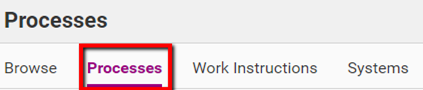
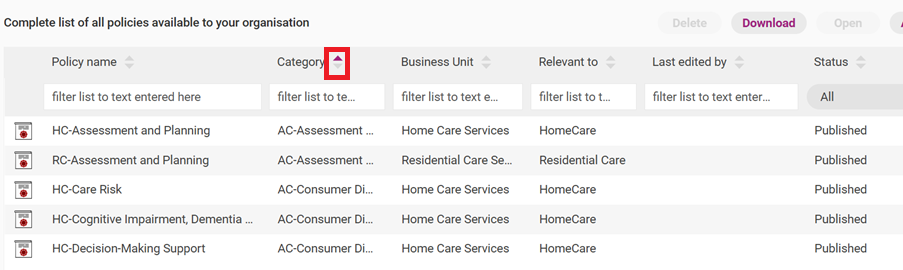
You can filter or sort content list in two ways:

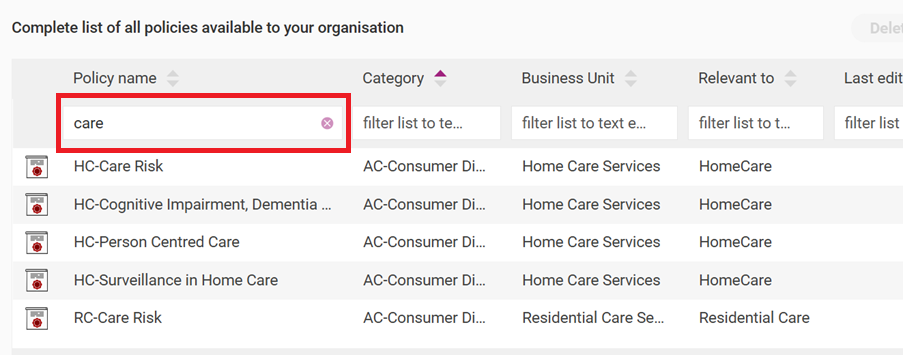
2. Type in some text in the filter box. This will filter the content to match what is included in the filter box.
These may differ depending on the type of content being filtered or sorted.
Tip
Use the zoom feature on your web browser to zoom in or out and make more columns on the list view visible.
Refer to the following table for guidelines about available content filters:
Policies and processes:
Field | Description |
|---|---|
Policy (or Process) Name | The title of the content (in alphabetical or reverse alphabetical order). |
Category | The group in which the content is located. For Policies and Processes: this will be the Aged Care Quality Standard or NDIS Standard most applicable to the Policy or Process. |
Business unit | The managing business unit for the Item, if applicable. |
Relevant to | The roles and people to which the content applies. |
Last edited on | The date when the content was last modified. |
Last edited by | The last user who made edits to the Item. |
Next review | The date the item must be reviewed internally. This will be blank unless it is added by a customer with administrator access during the release management workflow (note the review date does not indicate a date that Ageing Australia will review the content by). |
Status | You can filter content by published and unpublished content. You can choose to view either the published content only or published and unpublished content. Unpublished content includes:
|
Documents:
Filter type | Description |
|---|---|
Document name | The name of the document. |
Category | The category to which the document belongs. |
Business unit | The managing business unit for the Item, if applicable. |
Relevant to | The role to which the document applies. |
Last edited on | The date at which the document details were last modified. |
Last edited by | The last user who made edits to the Item. |
Status | You can filter content by its status within the release management workflow. You can choose to view either the published content only or published and unpublished content. |
Users:
Filter type | Description |
|---|---|
First (given) name | The first name of the user. |
Last (family) Name | The surname of the user. |
Email/sign-in | The email utilised by the app user to sign in. |
Permissions | The type of access given to the user (i.e. administrator or Process Viewing only). |
Roles | Any roles assigned to the user. |
Tests passed | If knowledge testing is enabled, the number of tests the users has passed. |
Status | Whether the user is currently signed in, signed out or has been invited (i.e. they have not yet activated their account). |
Roles:
Filter type | Description |
|---|---|
Role name | The name of the role. |
Role type | The type of role (i.e. general role, task role, job title). |
Also plays these roles | Any other positions assigned to the roles. |
Next review | The date the Role is to be reviewed, if applicable. |
Status | You can filter content by its status within the release management workflow. You can choose to view either the published content only or published and unpublished content. |